
How to Protect Your Phone and Make It Last Longer
sharing is caring :)
Disclaimer: Je’Ana C. curates the Shades of Tatiana product selections. We only recommend products we genuinely love. If you buy something through our affiliate links, we may earn a small commission at no cost to you.
Your smartphone is much more than just a gadget. It's your camera, communication hub, entertainment center, navigation tool, digital wallet, and, for many people, an important part of everyday work. That also makes replacing a damaged or poorly functioning phone inconvenient and potentially expensive.
You can't prevent every cracked screen, aging battery, or technical problem, but you can reduce unnecessary wear with a few simple habits. Protecting the outside of your phone is only part of it. How you charge, update, store, and troubleshoot your device can also affect how well it performs over time. And if you eventually plan to trade it in, sell it, or pass it along to someone else, keeping it in good condition may help preserve more of its value.
RELATED ARTICLE: 5 Signs Your Website Needs a Refresh
Smartphone Care Tips
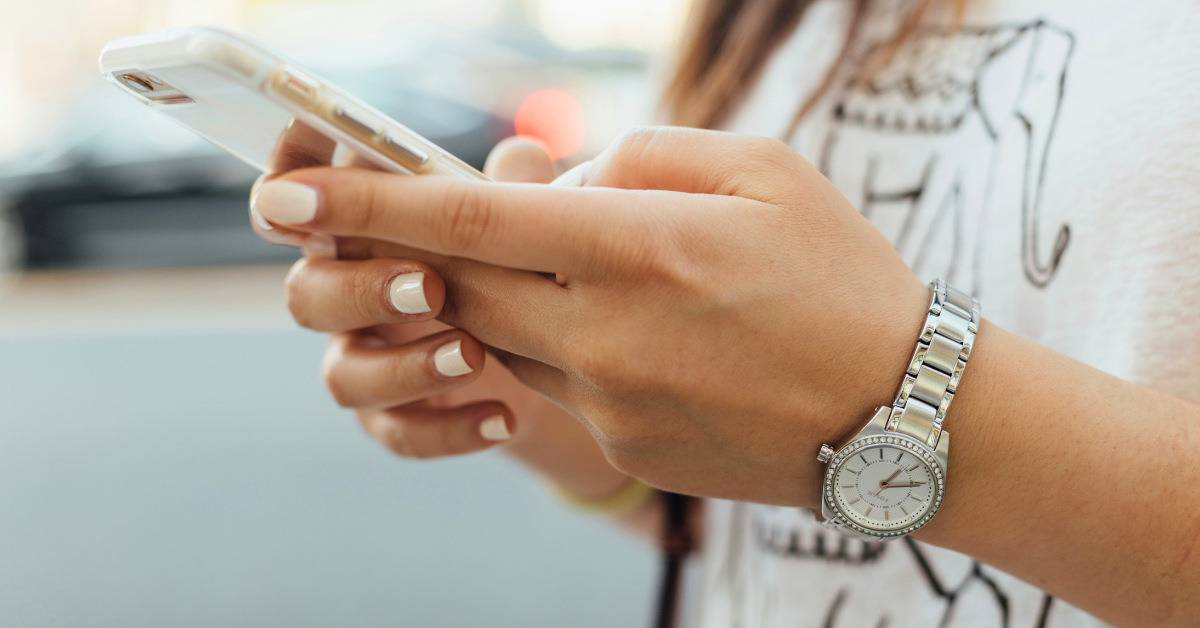
Photo by Paul Hanaoka on Unsplash
01) Choose a Case That Matches How You Actually Use Your Phone
A good phone case provides a layer of protection against the drops, bumps, scratches, and everyday wear that come with carrying a device everywhere. But the bulkiest case isn't automatically the best choice for everyone.
Consider your lifestyle and how likely your phone is to get damaged. If you usually carry it in a bag and rarely drop it, a slim case with decent grip and raised edges may provide the protection you need. If you work outdoors, travel frequently, exercise with your phone, or have a history of dropping devices, you may prefer something more rugged.
Useful features to look for include:
Raised edges around the screen to help keep the display from making direct contact with flat surfaces.
Raised protection around camera lenses to reduce scratching when the phone is placed down.
Reinforced corners to provide additional protection in areas that frequently absorb impact.
A secure grip so the case doesn't make your phone more likely to slip out of your hand.
Proper fit and accessible buttons so the case protects the phone without interfering with normal use.
Materials such as silicone, TPU, polycarbonate, leather, and multi-layer combinations each offer different advantages in grip, weight, appearance, and impact protection. No case can make a phone indestructible, though. A hard enough impact can still damage the screen, camera, frame, or internal components.
If something does happen, a reputable cell phone repair service can reduce stress and get your device working again quickly.
02) Screen Protector Essentials
A case protects your phone's edges and body, but the display can still be vulnerable to scratches and direct impact. That's where a screen protector can help.
Two common options are:
Plastic or film protectors: Usually thinner and more flexible, with protection primarily against everyday scratches and surface wear.
Tempered glass protectors: Generally thicker and designed to provide an additional sacrificial layer that may absorb some impacts as well as protect against scratches.
Whether you need a screen protector with a good case depends partly on how much extra protection you want, but the two accessories serve different purposes. A raised case edge can't necessarily protect the display from keys, grit, or an object hitting the screen directly. When shopping, you'll also commonly see tempered glass advertised with a "9H" hardness rating. That typically refers to a pencil-hardness testing scale used to describe scratch resistance. It doesn't mean the protector is impossible to scratch or break. Figuring out how to choose the right screen protector means thinking about your phone model, the material, and ease of installation.
03) Develop Better Battery Habits
Your smartphone's battery will naturally lose capacity as it ages. You can't stop that process completely, but how you use and charge your device can affect battery wear. Heat is particularly important. Avoid leaving your phone in a hot vehicle, direct sunlight for long periods, or another environment where it becomes excessively hot. If your phone gets unusually warm while charging, remove anything that may be trapping heat and make sure you're using compatible charging equipment.
You've probably also heard advice to keep your battery between 20% and 80% all the time. You don't need to obsess over maintaining that exact range every day. Modern smartphones include battery-management systems designed to handle normal charging.
Instead, focus on practical habits:
Avoid regularly leaving your battery completely depleted for long periods.
Use reputable, compatible chargers and cables.
Enable optimized or adaptive charging features if your phone provides them.
Avoid unnecessary heat while charging.
Check your phone's battery-health information when available.
Replace a significantly degraded battery when appropriate rather than automatically replacing an otherwise functional phone.
Some devices also offer charging limits that can reduce how long the battery remains at a full charge. Whether that's useful will depend on how you use your phone and how much battery capacity you need during the day. Battery care should make your phone easier to live with, not turn charging into something you constantly worry about.
More in Living:





04) Protect the Information Stored on Your Phone
A phone can look perfect on the outside and still be vulnerable if its software and accounts aren't protected. Keep your operating system and apps reasonably up to date. Updates often include security patches, bug fixes, compatibility improvements, and other changes that help keep the device functioning properly.
A few other habits are worth making routine:
Use a strong passcode: Avoid easily guessed combinations such as birthdays or repeated numbers.
Enable biometric security: Face or fingerprint authentication can add convenient protection when your device supports it.
Turn on automatic backups: Make sure important photos, files, contacts, and other information aren't stored exclusively on one physical device.
Use multi-factor authentication: Add another layer of protection to important accounts when available.
Download apps from trusted sources: Be cautious about unfamiliar apps requesting unnecessary permissions.
Watch for phishing attempts: Don't automatically trust unexpected texts, emails, links, QR codes, or requests for passwords and financial information.
Enable device-finding features: Set these up before you lose your phone or have it stolen.
Also review app permissions occasionally. A flashlight, game, or photo-editing app doesn't need unlimited access to every part of your phone. Physical protection can save the hardware. Good digital habits help protect what's stored inside.
05) Address Small Problems Before Replacing Your Phone
A slow or glitchy phone doesn't necessarily mean it's time for an upgrade. Start with basic troubleshooting. Restarting the device can resolve temporary software problems. If an app keeps crashing, check for updates or reinstall it when appropriate. If you're running low on storage, remove downloads, duplicate files, unused apps, or other content you no longer need.
For connectivity problems, try turning Airplane Mode on and off or restarting your Wi-Fi connection. Your phone manufacturer may also provide built-in diagnostic or troubleshooting tools. Be cautious about advice to clear caches, delete system files, reset settings, or download "cleaner" apps. The right steps differ by operating system, and unnecessary cleanup tools can sometimes create more problems than they solve.
Watch for physical warning signs too. A swelling battery, excessive heat, damaged charging port, liquid exposure, flickering display, or sudden unexplained shutdowns may require professional inspection. A swollen battery in particular shouldn't be ignored or punctured.
Repair can sometimes extend the life of an otherwise useful device. Replacing a screen, battery, charging port, or another repairable component may cost considerably less than purchasing a new phone, depending on the model and damage.
Takeaway
Getting more life out of your smartphone doesn't require treating it like a fragile museum piece. Give it sensible physical protection with a case and screen protector. Avoid unnecessary heat. Use compatible charging equipment. Keep your software updated, back up important information, and secure your accounts.
Then pay attention when something starts changing. A weakening battery or small technical issue doesn't always mean you need a brand-new phone. Taking care of the device you already own can help it stay useful longer, reduce the inconvenience of unexpected damage, and leave it in better condition when it's eventually time to sell, trade in, or upgrade.
What's the one phone-protection habit you never skip: a case, screen protector, backup, or something else?
DON’T FORGET TO SHARE :)





Learn how to stay motivated while working toward personal growth goals, even after the initial excitement wears off. From understanding what drives you to building accountability, creating realistic systems, and learning from setbacks, these practical strategies can help you keep making progress when motivation comes and goes.