
Beyond Locks: 5 Smarter Ways to Protect Your Home
sharing is caring :)
Disclaimer: Je’Ana C. curates the Shades of Tatiana product selections. We only recommend products we genuinely love. If you buy something through our affiliate links, we may earn a small commission at no cost to you.
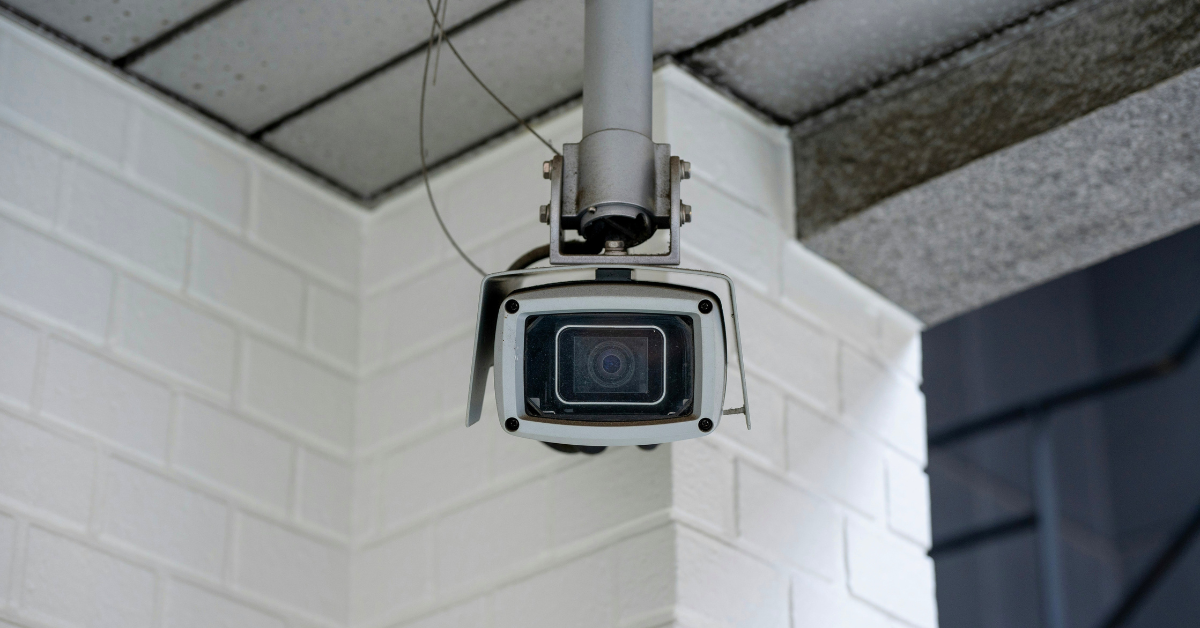
Photo by Turquo Cabbit on Unsplash
Feeling safe at home is essential to creating a comfortable, relaxing living environment. Traditional locks, outdoor lighting, and alarms provide an important foundation, but modern technology can add extra layers of protection and make your security system easier to manage.
Today’s home security tools can notify you when someone approaches your property, let you check cameras remotely, and connect multiple devices so they respond automatically to unusual activity. Instead of relying on several separate gadgets, you can create a coordinated system that gives you a clearer picture of what is happening around your home.
Here are five smarter ways to strengthen your home security beyond traditional locks.
RELATED ARTICLE:
Smart Ways to Improve Your Home Security
01) Integrating Smart Devices
Modern home security is most effective when the different parts of the system work together. Rather than treating cameras, lights, locks, and sensors as separate devices, you can connect them to create automated routines based on your household’s needs. For example, you could program your outdoor floodlights and selected indoor lights to switch on when a patio motion sensor detects movement after dark. A door sensor could trigger a phone notification, while a video doorbell could display a live feed on a nearby smart screen.
This level of connectivity is part of the growing Internet of Things for homeowners, which allows compatible devices to exchange information and complete tasks automatically. You may be able to view your cameras using a smart display, lock doors remotely, or temporarily give a trusted visitor access without handing over a physical key.
Before purchasing new equipment, check whether it will work with your existing devices and preferred smart-home platform. Choosing compatible products can help you build one responsive network instead of managing several disconnected apps. It is also important to protect the network behind your security system. Use strong, unique passwords, enable multifactor authentication when available, and keep device software updated to address potential security vulnerabilities.
02) Understand Night Vision Capabilities
Security concerns do not disappear after sunset, which makes nighttime visibility an important feature when choosing outdoor or indoor cameras. Many home security cameras use infrared LEDs to illuminate an area with light that is invisible to the human eye but detectable by the camera’s sensor. This is how infrared night vision works, typically producing a clear black-and-white image in low light or complete darkness. The distance a camera can see will depend on the model, the strength of its infrared lights, and the conditions around your property. Walls, windows, reflective surfaces, heavy rain, and nearby objects can all affect nighttime image quality.
Some newer cameras also offer color night vision. These models use highly sensitive sensors, built-in spotlights, or available light from sources such as porch lights and streetlights to produce color footage. Color may make it easier to notice useful details, including clothing, packages, or vehicles. Before selecting a camera, consider whether discreet black-and-white monitoring or a visible light that supports color recording is more suitable for the area. A bright spotlight may provide better detail and discourage unwanted activity, but it could also disturb neighbors if it is positioned incorrectly.
03) Choose the Right Video Resolution
Camera footage is only helpful when you can clearly understand what is happening. A blurry or heavily pixelated recording may show that someone entered an area without providing enough detail to identify the person or determine exactly what occurred. Higher-resolution cameras capture more visual information, which can make it easier to review faces, clothing, vehicles, packages, and activity across larger areas. They may also allow you to zoom into recorded footage without losing as much clarity.
Although 1080p cameras remain suitable for many household spaces,12MP security camera systems provide considerably more image detail and may be useful for monitoring wide driveways, larger gardens, entrances, or other areas where clarity is especially important. However, resolution is not the only factor that determines video quality. Camera placement, lens type, lighting, frame rate, motion, weather conditions, and the distance between the camera and the subject all affect what you can see. Even a high-resolution camera may struggle to capture a moving license plate at night if it is positioned poorly.
Higher-resolution footage also requires more storage space and network bandwidth. Before upgrading, check whether your internet connection, recording device, cloud plan, and local storage can support the additional data.
More in Home:
04) Use Remote Access and Real-Time Alerts
One of the most convenient features of a modern security system is the ability to monitor your home from almost anywhere. Through a smartphone app, you can view live camera feeds, review recorded footage, check whether doors are locked, and receive alerts when a sensor detects motion or an entry point opens. This can be reassuring when you are at work, traveling, or simply spending time away from the house.
Customizing your notifications can make the system more useful. Receiving an alert every time a branch moves or a car passes your home may quickly become frustrating, and frequent unnecessary notifications could make you less likely to pay attention when something important happens. Look for systems that allow you to create activity zones, adjust motion sensitivity, and distinguish between people, vehicles, animals, or packages. These features can help reduce false alerts and focus your attention on activity that may require a response.
Many systems also include two-way audio, allowing you to speak with a delivery driver or visitor through a doorbell or camera. Depending on your setup, you may also be able to lock or unlock doors, arm the alarm, manage temporary access codes, and check sensor statuses remotely. Also, remote access should be protected carefully. Avoid sharing account credentials, use multifactor authentication, and regularly review which phones, tablets, or users have permission to control the system.
05) Create a Long-Term Security Plan
It can be tempting to purchase a camera, install it near the front door, and assume your security needs have been covered. A more effective approach is to consider your entire property and how your needs may change over time. Begin by identifying the most vulnerable or frequently used areas around your home. These may include the front entrance, back door, driveway, garage, patio, side gate, and accessible ground-floor windows.
Walk around the property during both daylight and nighttime hours. Look for poorly lit areas, hidden entry points, overgrown landscaping, and places where a camera’s view could be blocked. This can help you decide where lighting, sensors, cameras, or other improvements would be most useful. You do not need to purchase everything at once. Start with the areas of greatest concern and choose a system that allows you to add more cameras, sensors, lights, or smart locks later. A flexible setup can grow with your household, budget, and property.
You should also decide whether you prefer a self-monitored system or professional monitoring. With self-monitoring, alerts are sent directly to you, and you decide what action to take. A professionally monitored service has a dedicated team that can assess certain alerts and contact emergency services when appropriate, although this usually involves an ongoing fee.
Finally, review your security setup regularly. Test alarms and sensors, replace batteries, update passwords, check camera angles, and remove access for people who no longer need it. A system can only protect your home effectively when it is properly maintained.
Takeaway
Ultimately, upgrading your home protection involves more than installing a strong lock or placing a single camera near the front door. Connected devices, reliable night vision, clear video footage, real-time alerts, and thoughtful planning can work together to create a more complete security system. The best setup is not necessarily the most expensive or complicated one. It is the system that addresses your property’s most vulnerable areas, works reliably, and gives you useful information without becoming difficult to manage.
Start by reviewing the security measures you already have, then identify one or two upgrades that would provide the greatest practical benefit. Building your system gradually can help you create a safer, more responsive home without feeling overwhelmed.
Which smart security feature would give you the greatest peace of mind at home?
DON’T FORGET TO SHARE :)







Learn how to choose the right water heater size for your home by comparing peak-hour demand, first-hour rating, tank capacity, energy source, and installation space. The right fit helps your household maintain reliable hot water without paying for more capacity than you need.